01 Menu bar
Always in sight
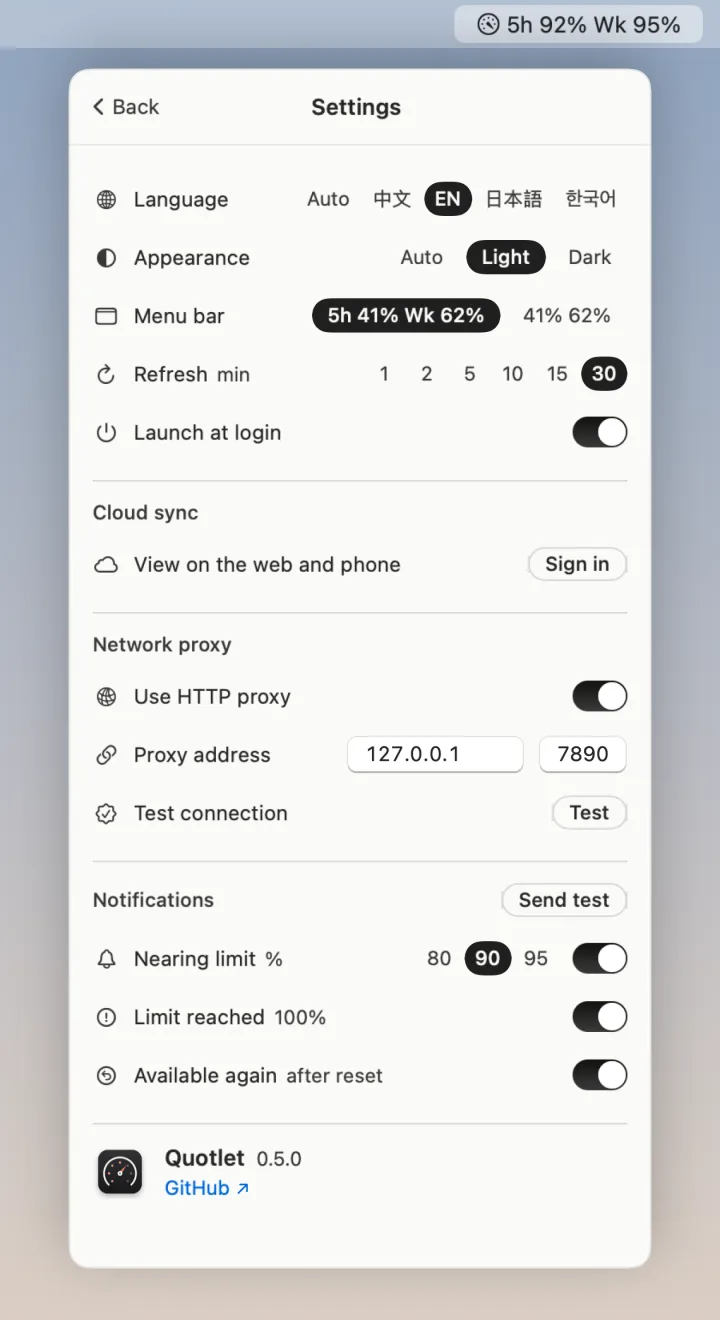
"5h 41% · Wk 62%" right in the menu bar, or just "41% 62%" if you like it compact.
 Quotlet
macOS menu bar · free & open source
See Claude and Codex limits, when they reset, and whether you’re on pace to run out. Right in your Mac menu bar.
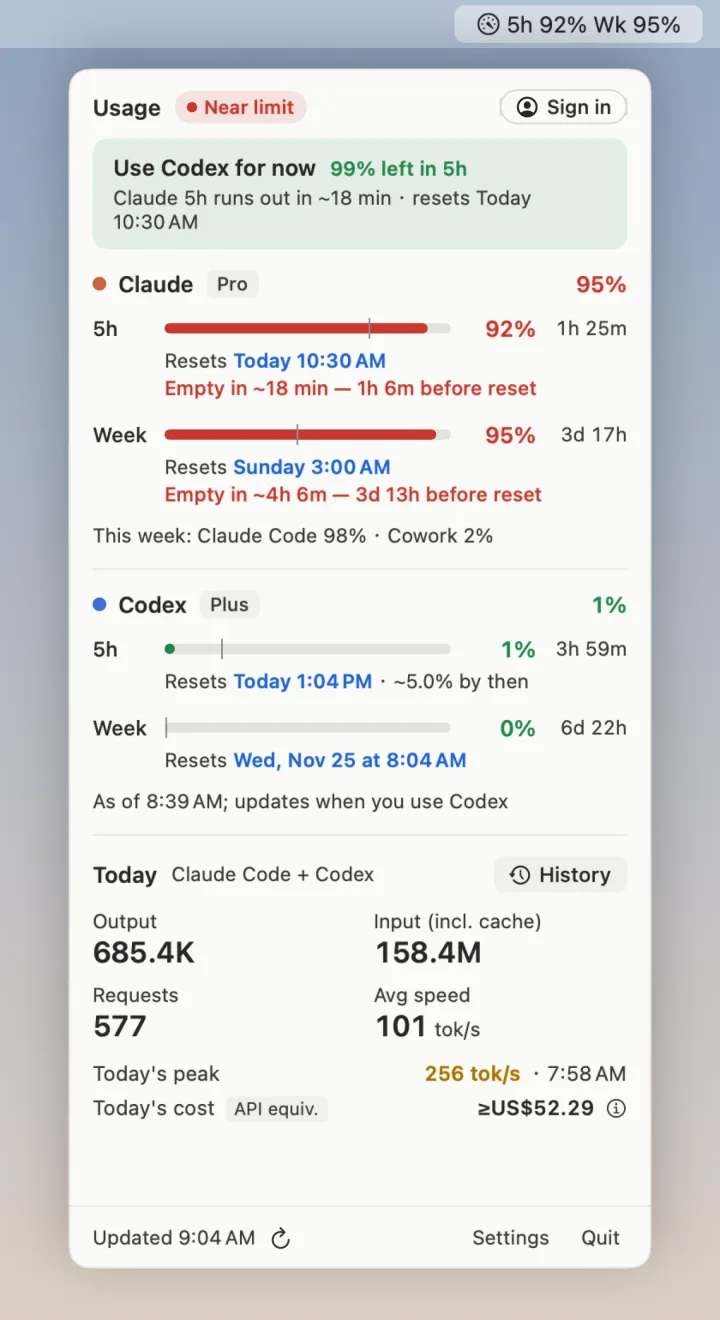
Use Codex for now · 88% left in the 5-hour window
 ClaudePro92%
 CodexPlus12%
How it works
56% sounds fine — unless the window opened an hour ago. Quotlet puts how much you've used next to how much of the window has passed, and works out whether you'll make it to the reset.
5h   ██████████│█░░░░░░░  56%   3h 6m
      Resets today 10:30
      Empty in ~1h 29m — 1h 37m before reset

week █████████│██████░░░  90%   3d 19h
      Resets Sunday 3:00

opus ███░░░░░░│░░░░░░░░  18%   3d 19h
      Resets Sunday 3:00 · ~31% by then
What it does
01 Menu bar
"5h 41% · Wk 62%" right in the menu bar, or just "41% 62%" if you like it compact.
02 Limits
Every Claude limit and, if you use Codex, its 5-hour and weekly limits, one line each with the reset time and a countdown.
03 Forecast
Says where each limit will land at the reset, or how long until it runs out if you keep this pace.
04 Today
Today's output and input tokens, requests, average and peak tok/s, and what it would cost at API prices.
05 History
Daily output and cost, speed, and weekly limits, with CSV export. Daily totals stay on your Mac after Claude Code clears old logs.
06 Alerts
A heads-up at 80, 90 or 95% and when a limit is back. English, 简体中文, 日本語 and 한국어; an HTTP proxy for regions that need one.
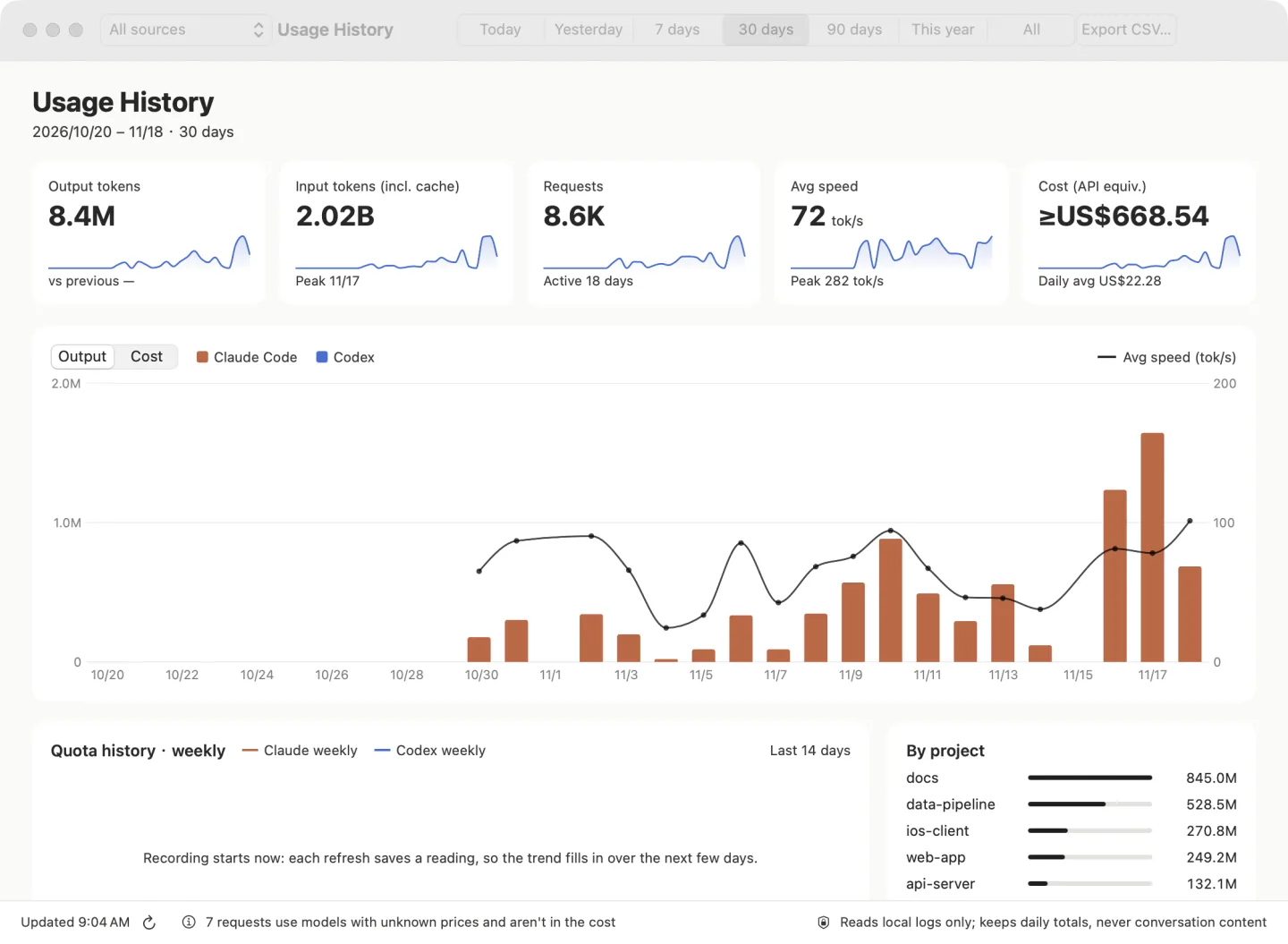
Quotlet Cloud new in 0.5
Sign in and open app.quotlet.com for the full picture: limits from every Mac you use, session history, which sessions are running or waiting for you, and token trends — on your phone too.
Privacy
No account, no telemetry, nothing to paste. Each claim below comes with a way to verify it yourself.
01
It reads Claude Code's token from your Keychain with the system security tool. It never refreshes, changes or saves it, and only sends it to Anthropic.
git grep -n accessToken Sources/02
api.anthropic.com, to ask for your usage. app.quotlet.com is added only after you sign in to Cloud.
sudo lsof -i -a -c Quotlet03
Sessions and tokens are read, never written, from the logs Claude Code and Codex already keep on your Mac.
ls ~/.claude/projects ~/.codex/sessions04
Every release is signed with a Developer ID and notarized by Apple.
spctl -a -vv /Applications/Quotlet.app05
MIT licensed. Every line is on GitHub, and you can build the app yourself in one command.
./build.sh installInstall
brew tap tluo-github/quotlet https://github.com/tluo-github/quotlet
brew trust tluo-github/quotlet
brew install --cask quotletOpen the DMG and drag Quotlet into Applications. Signed and notarized, so it opens with a double-click.
Download .dmggit clone https://github.com/tluo-github/quotlet
cd quotlet && ./build.sh installNeeds the Xcode command line tools.